

Contributed Articles
This guide from Pulse explains the fiber internet installation process from end to end and outlines the required equipment.
Fiber-optic internet is a high-performance alternative to traditional broadband. It delivers low latency and high throughput for streaming, gaming, and workload-heavy applications. If you’re just now hearing about fiber, you’re likely wondering how it differs from traditional cable and how it is installed.
This guide explains the installation process from end to end, outlines the required equipment, and provides basic troubleshooting steps so you know what to expect and how to maintain a stable connection.
Quick answer: How do they install fiber internet?
A typical fiber installation involves scheduling with your provider, running a fiber drop to the premises, and installing an optical network terminal (ONT). After the ONT and router are configured and the line is tested, the service is ready for use at full speed.
Understanding fiber optic technology
Fiber carries data as pulses of light through strands of glass or plastic. Compared with copper, it offers significantly higher bandwidth, greater reliability, and better scalability as demand increases. In short:
- Speed: Supports high, sustained throughput for concurrent tasks.
- Reliability: Less susceptible to interference and signal loss.
- Scalability: Designed to accommodate future performance needs.
Availability of fiber internet
Coverage varies by market. To verify availability:
- Check provider maps on official websites.
- Confirm locally by asking neighbors or community groups.
- Contact providers to validate serviceability at your address.
Availability depends on existing infrastructure and build-out timelines. If service is not yet available, request to be notified when expansion reaches your area.
The fiber internet installation Process
1) Before the visit
- Service check: Your provider confirms whether your home is served by lines on poles (aerial) or underground.
- Utility marking: If digging is involved, utilities are marked.
- Pick locations: Decide where the inside box will go (needs power) and where you want the Wi-Fi router. Clear the area.
2) Getting the line to your home
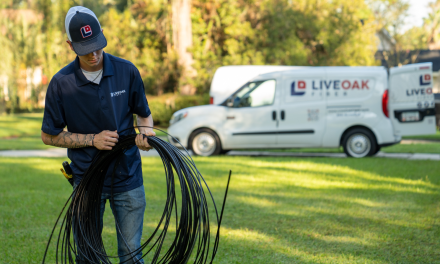
- If aerial: A small fiber line is run from the pole to your house and secured near your other utilities.
- If underground: A narrow path or small conduit is used from the curb to your house. The yard may be disturbed briefly, then restored.
- Wall entry: A small hole is drilled for the cable to enter. It’s sealed against weather.
3) The handoff point inside
- Where it lands: Typically a utility room, garage, or low-voltage closet with an outlet.
- Clean connection: The fiber is connected to a short, protected tail and neatly coiled so it isn’t bent too tightly.
4) The ONT (the box that makes fiber usable)
- What it does: Converts the light signal on the fiber into Ethernet your router can use.
- Power and backup: Needs a standard outlet. If you plan to keep a landline on the ONT, ask about a battery backup so it works during outages.
- Provider hardware: Some providers require you to use their box. Others let you use your own gear.
5) Inside wiring and router placement
- Best link: Run a standard Ethernet cable from the ONT to the router. Cat6 is a good default.
- Router location: Put it as central as you can if you rely on Wi-Fi. Larger homes often benefit from extra access points. If possible, connect those with Ethernet for best results.
6) Turning it on
- Activation: The tech brings the line online and confirms it talks to the neighborhood equipment.
- Internet settings: Most homes just use automatic settings. Some providers need a username/password or a tag your tech will set.
- Using your own router: If you get a combo box from the provider but prefer your own router, ask for bridge or pass-through mode.
7) Wi-Fi basics that matter
- Modern standards: Routers with Wi-Fi 6 or 6E handle crowded homes better.
- Simple layout: Use 5 or 6 GHz for fast devices nearby and 2.4 GHz for longer range. When possible, wire your access points back to the router.
8) Prove it works
- Wired speed test: Plug a laptop by Ethernet into the router and run a speed test. This removes Wi-Fi from the equation.
- Set up the app: Install the provider’s app or portal so you get outage alerts and can see your plan details.
9) After the visit
- Underground lines: If a temporary surface line was used, the crew returns to bury it when the schedule and weather allow.
Required equipment
- Optical network terminal (ONT): Converts fiber optics to Ethernet. Typically supplied and installed by the provider.
- Router: Distributes connectivity to devices. Ensure it supports the plan’s rated speeds and current standards such as Wi-Fi 6 or Wi-Fi 6E.
- Optional coverage gear: Mesh nodes or wired access points for larger or complex layouts.
Verify that your router’s WAN port and firmware can handle gigabit or multi-gig speeds if applicable.
Troubleshooting and support
- Verify physical connections: Confirm that ONT power, fiber pigtail, and Ethernet to the router are secure.
- Power-cycle equipment: Restart the ONT and router to clear transient faults.
- Reduce interference: Reposition the router, prefer wired connections for critical devices, and avoid congested Wi-Fi channels.
- Isolate variables: Test with a single wired device to confirm line performance before investigating Wi-Fi.
If issues persist, contact your provider with timestamps, speed test results, and whether the problem occurs on wired or wireless connections. This context accelerates resolution.
Final thoughts on fiber internet installation
Fiber delivers consistent, high-capacity connectivity when installed and configured correctly. By understanding the technology, preparing for the visit, and maintaining suitable equipment, you can achieve the performance your applications require and simplify ongoing support.
About Pulse
Pulse is a trusted local utility committed to connecting Northern Colorado communities. We provide reliable internet connections our residents need, backed by exceptional customer service and fair rates. Established in 2018, Pulse started in Loveland, Colorado, and has since expanded to Timnath and areas throughout Larimer County.
Contact Pulse or read more from Pulse about broadband consumer labels.